---
title: 'Left 4 Dead 2 mod 8 slots'
date: '2021-11-28'
lastmod: '2021-11-28'
tags: ['game']
summary: 'Modding Left 4 Dead 2 to support 8 slots'
images: ['/static/blog/l8d2/back.png']
authors: ['hoangndst']
---

## Required Files
You just need to download this, I've already done the preparation steps (≧▽≦)↗
 
- [Download mod](https://drive.google.com/file/d/1FRpIJ3s1S6rCcYVi9jXimHTntzJhQaeG/view?usp=sharing) - Mod 8 slots

After extracting, you will see 2 files as shown:

<div style={{ textAlign: "center" }}>
  <img
    src="/static/blog/l8d2/mod-folder.png"
    alt="Mod folder"
    style={{ width: "80%", display: "block", margin: "0 auto" }}
  />
  <p style={{ textAlign: "center" }}>Figure 1: Mod folder</p>
</div>

## Copy mod to game folder
1. Open Steam. Go to the library
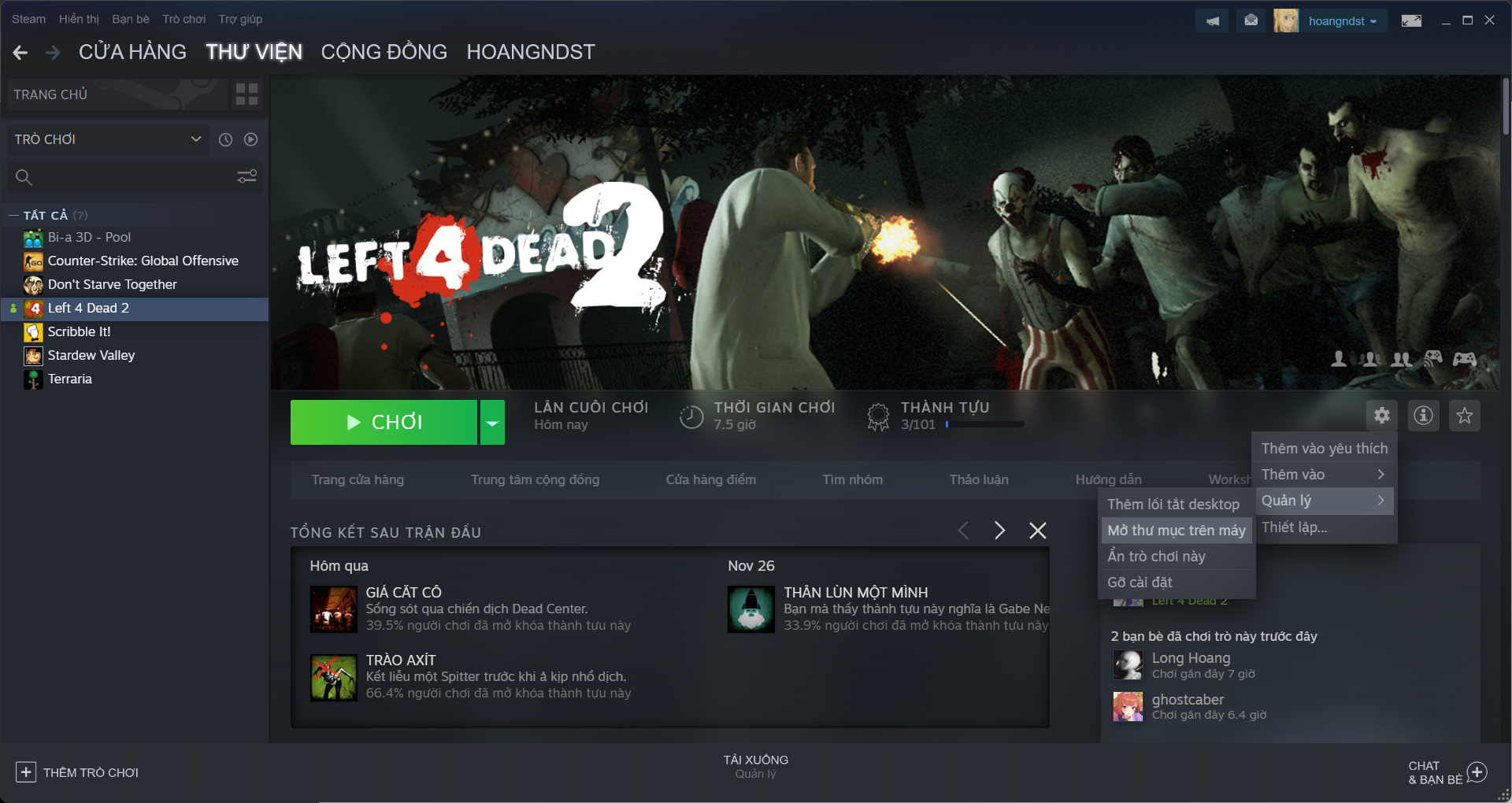
2. Open the Left 4 Dead 2 game folder as shown:
    <div style={{ textAlign: "center" }}>
      <img
        src="/static/blog/l8d2/game-folder.png"
        alt="Game folder"
        style={{ width: "100%", display: "block", margin: "0 auto" }}
      />
      <p style={{ textAlign: "center" }}>Figure 2: Game folder</p>
    </div>
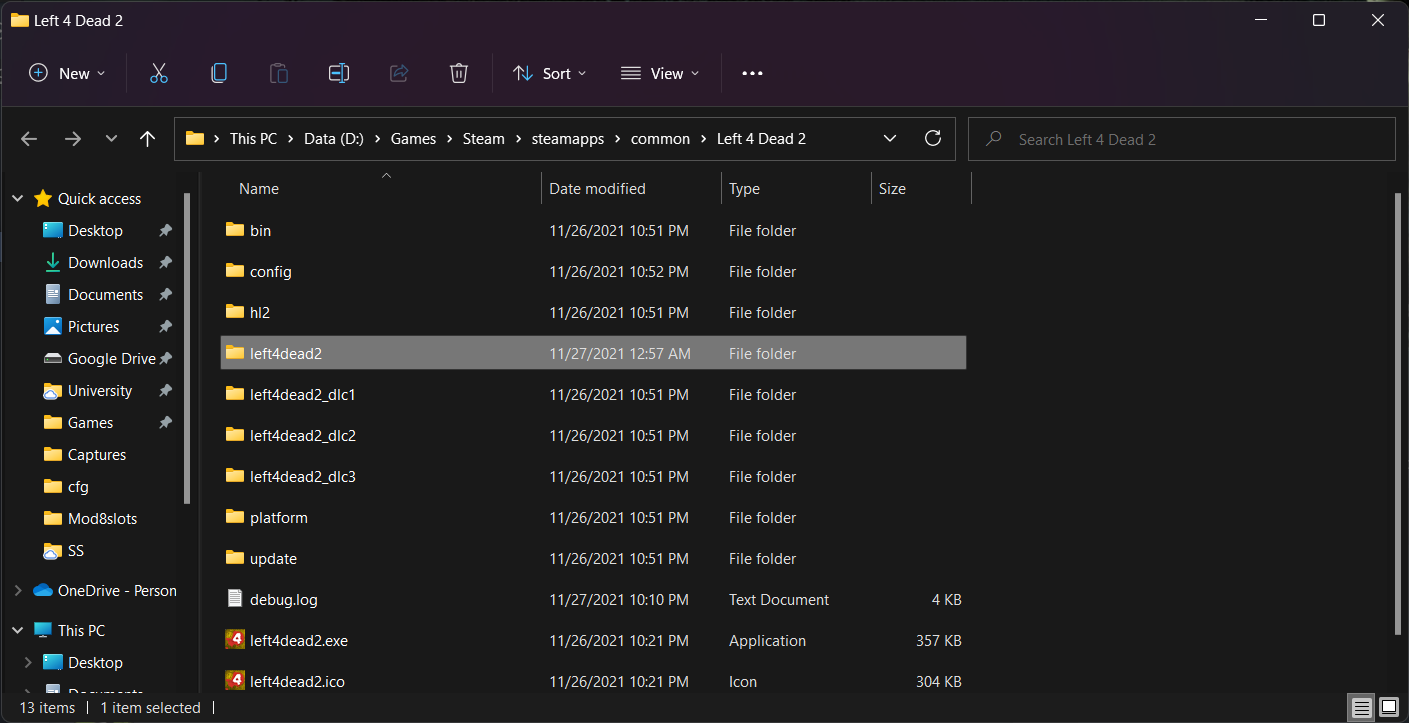
3. Go to the `left4dead2` folder:
    <div style={{ textAlign: "center" }}>
      <img
        src="/static/blog/l8d2/mod-1.png"
        alt="Open left4dead2 folder"
        style={{ width: "100%", display: "block", margin: "0 auto" }}
      />
      <p style={{ textAlign: "center" }}>Figure 3: Open left4dead2 folder</p>
    </div>

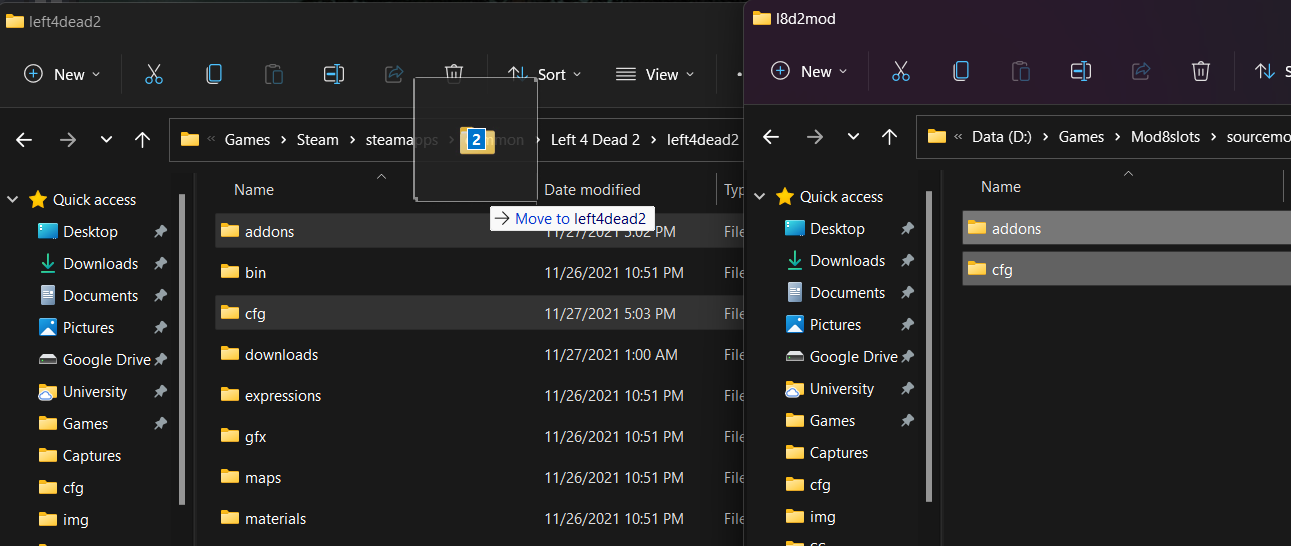
4. Copy the 2 files from the mod into the `left4dead2` folder:
    <div style={{ textAlign: "center" }}>
      <img
        src="/static/blog/l8d2/mod-2.png"
        alt="Copy mod files"
        style={{ width: "100%", display: "block", margin: "0 auto" }}
      />
      <p style={{ textAlign: "center" }}>Figure 4: Copy mod files</p>
    </div>

## Add `-insecure` mode and mod

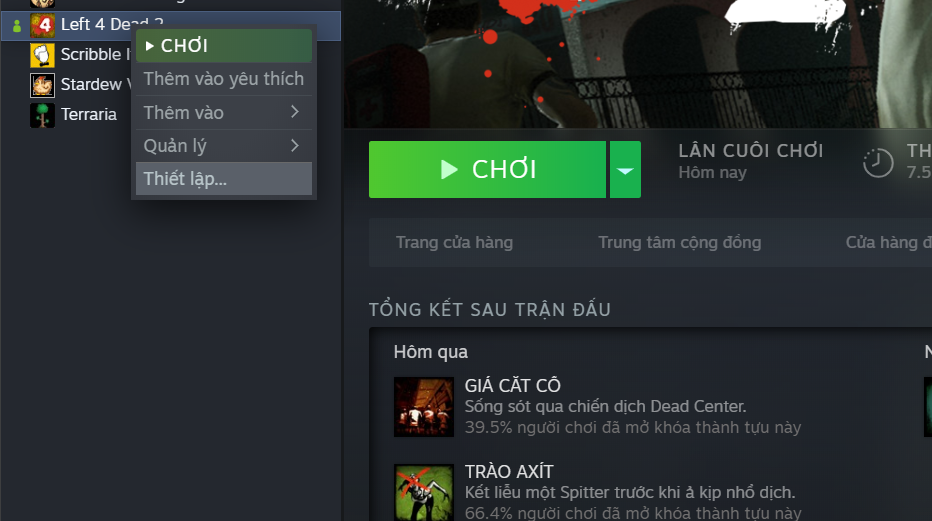
1. Open L4D2 settings:
    <div style={{ textAlign: "center" }}>
      <img
        src="/static/blog/l8d2/game-1.png"
        alt="Open game settings"
        style={{ width: "100%", display: "block", margin: "0 auto" }}
      />
      <p style={{ textAlign: "center" }}>Figure 5: Open game settings</p>
    </div>
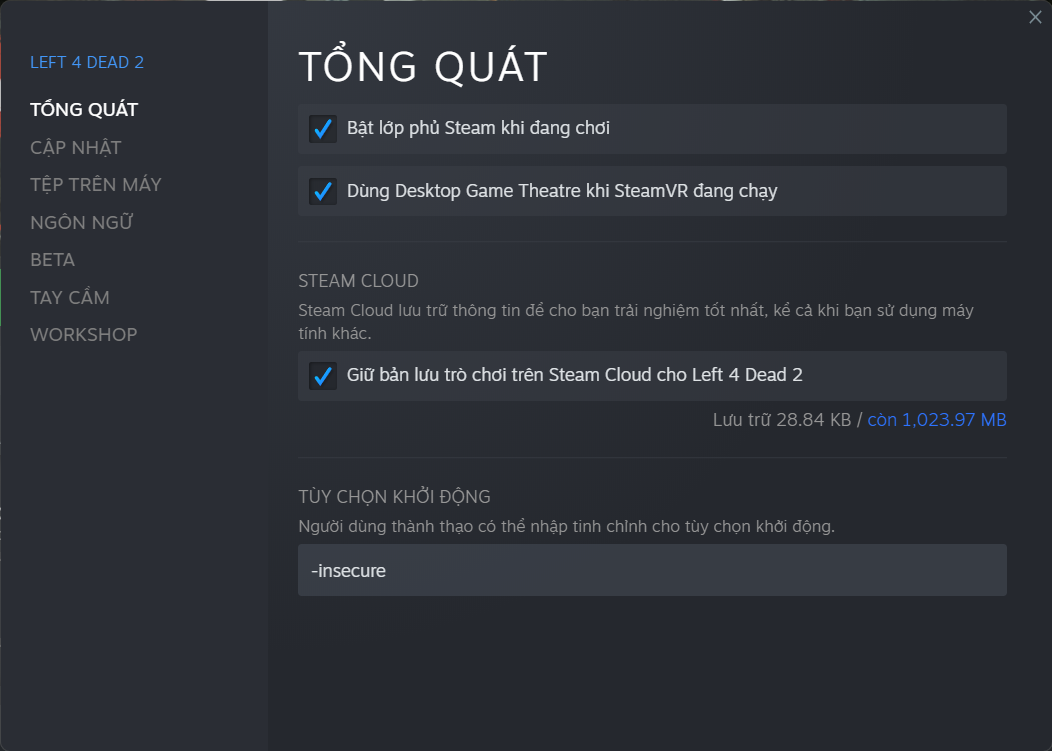
2. Add `-insecure` to the launch options.
    <div style={{ textAlign: "center" }}>
      <img
        src="/static/blog/l8d2/game-2.png"
        alt="Add -insecure"
        style={{ width: "100%", display: "block", margin: "0 auto" }}
      />
      <p style={{ textAlign: "center" }}>Figure 6: Add -insecure</p>
    </div>
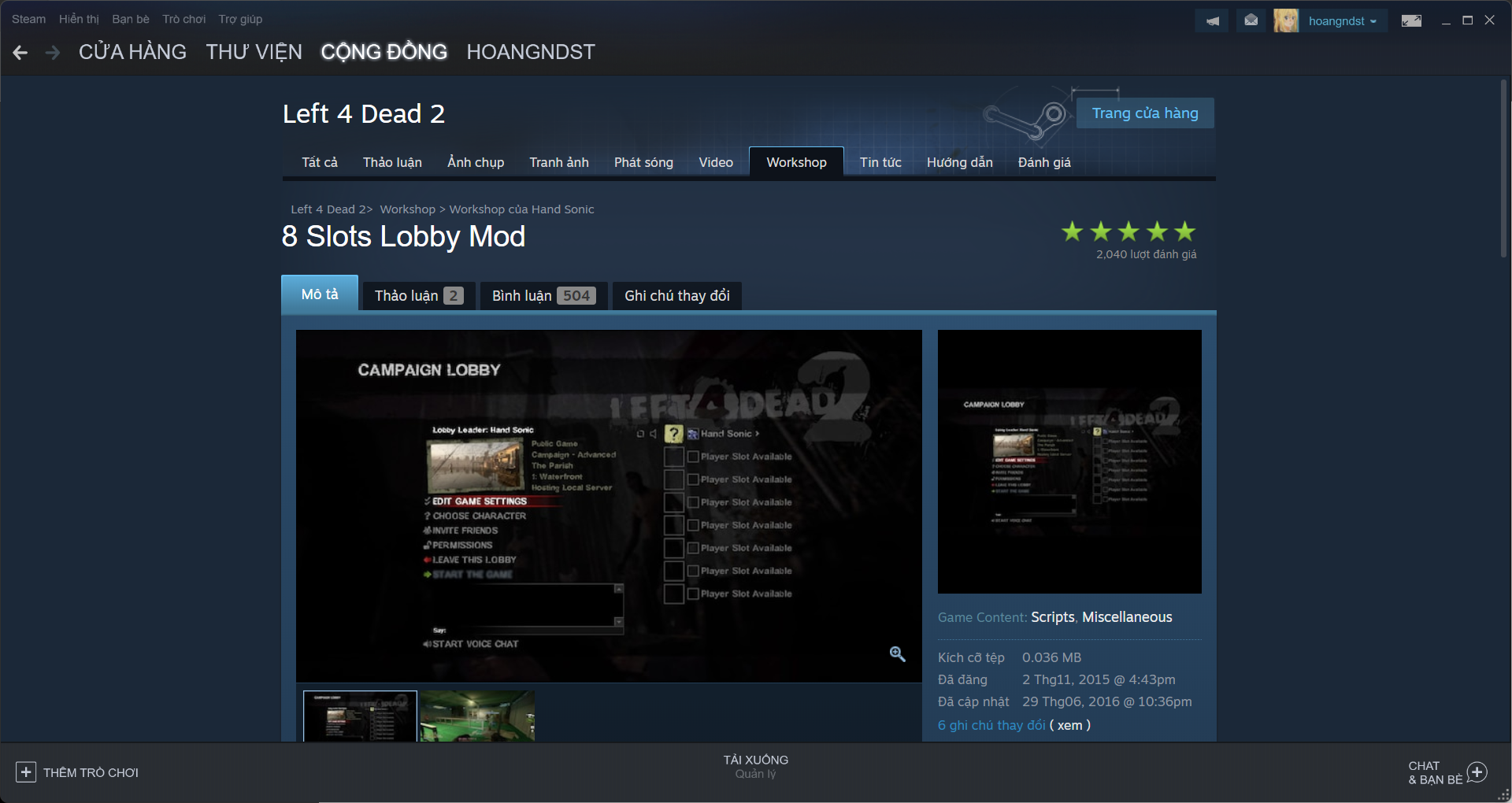
3. Add the 8 Slots Lobby Mod in the Workshop.

- Link to the [8 Slots Lobby Mod](https://steamcommunity.com/sharedfiles/filedetails/?id=546656726)
    <div style={{ textAlign: "center" }}>
      <img
        src="/static/blog/l8d2/game-3.png"
        alt="Add 8 Slots Lobby Mod"
        style={{ width: "100%", display: "block", margin: "0 auto" }}
      />
      <p style={{ textAlign: "center" }}>Figure 7: Add 8 Slots Lobby Mod</p>
    </div>

## Create a lobby
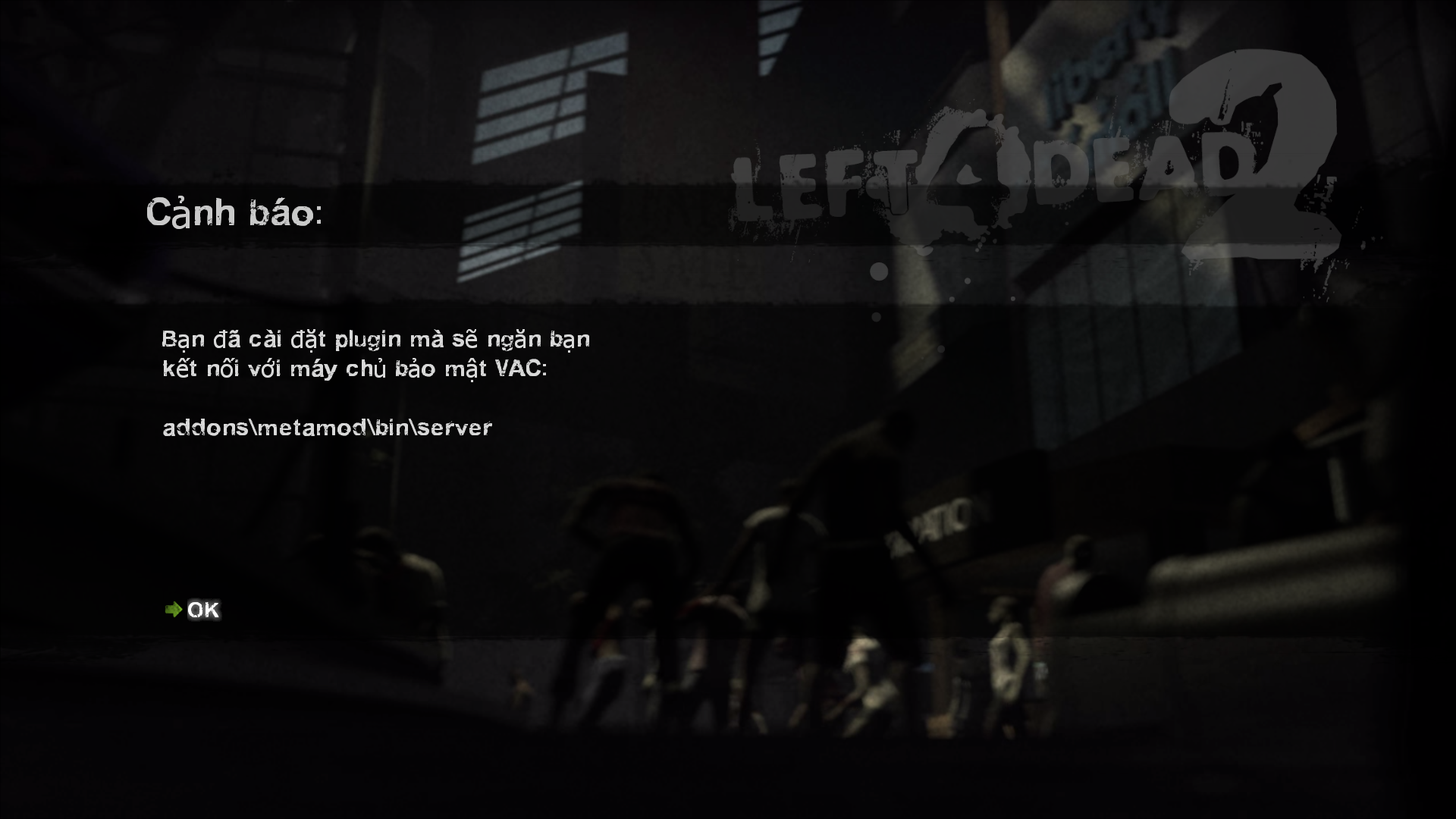
1. Open the game and if you see this, just click ok. If you want to play normally, just remove the `-insecure` mode in the settings above.
    <div style={{ textAlign: "center" }}>
      <img
        src="/static/blog/l8d2/game-4.png"
        alt="Alert when running insecure"
        style={{ width: "100%", display: "block", margin: "0 auto" }}
      />
      <p style={{ textAlign: "center" }}>Figure 8: Alert when running insecure</p>
    </div>
2. When creating a lobby, remember to set it to Local (local server).
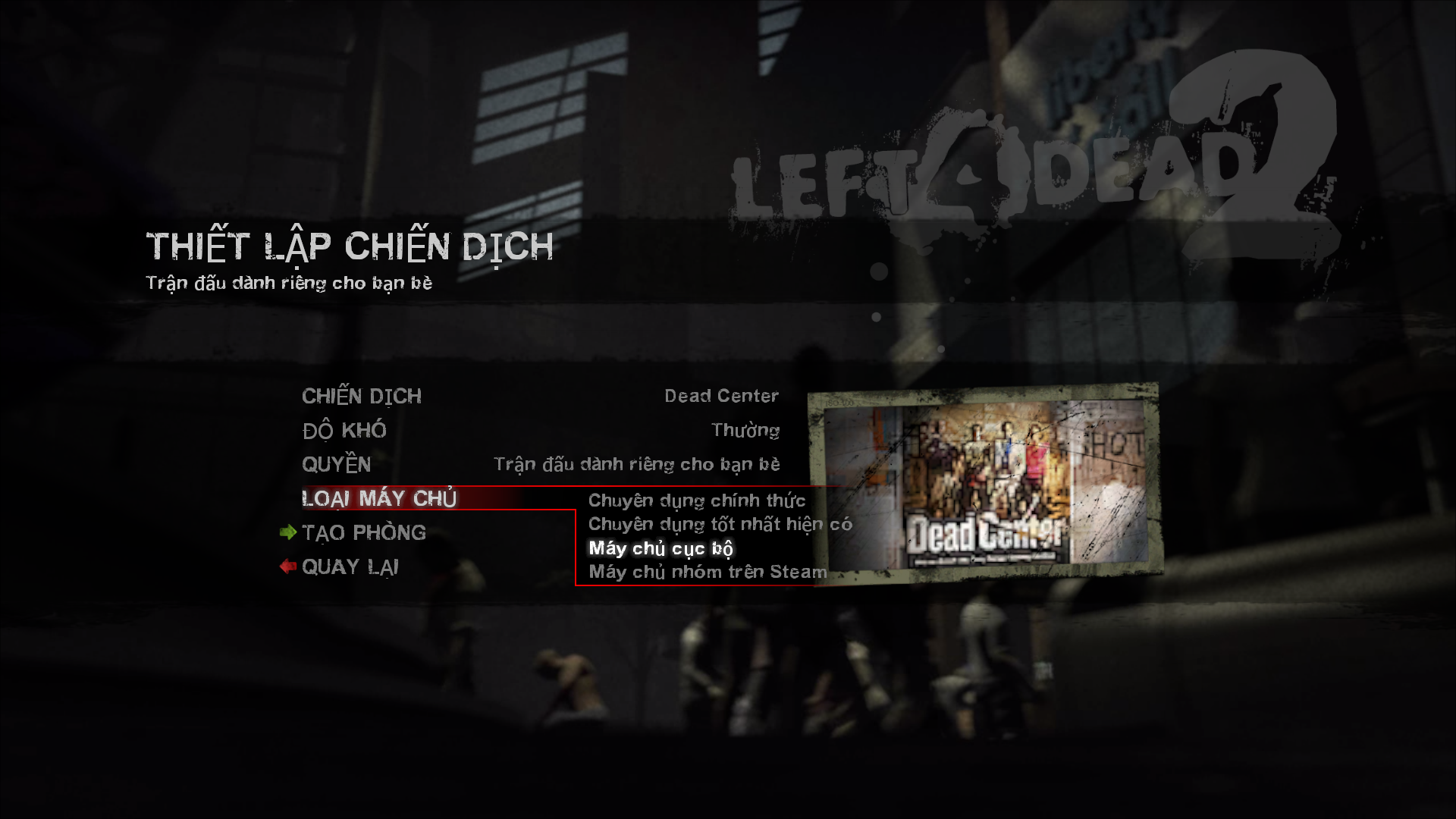
    <div style={{ textAlign: "center" }}>
      <img
        src="/static/blog/l8d2/game-5.png"
        alt="Create lobby"
        style={{ width: "100%", display: "block", margin: "0 auto" }}
      />
      <p style={{ textAlign: "center" }}>Figure 9: Create lobby</p>
    </div>
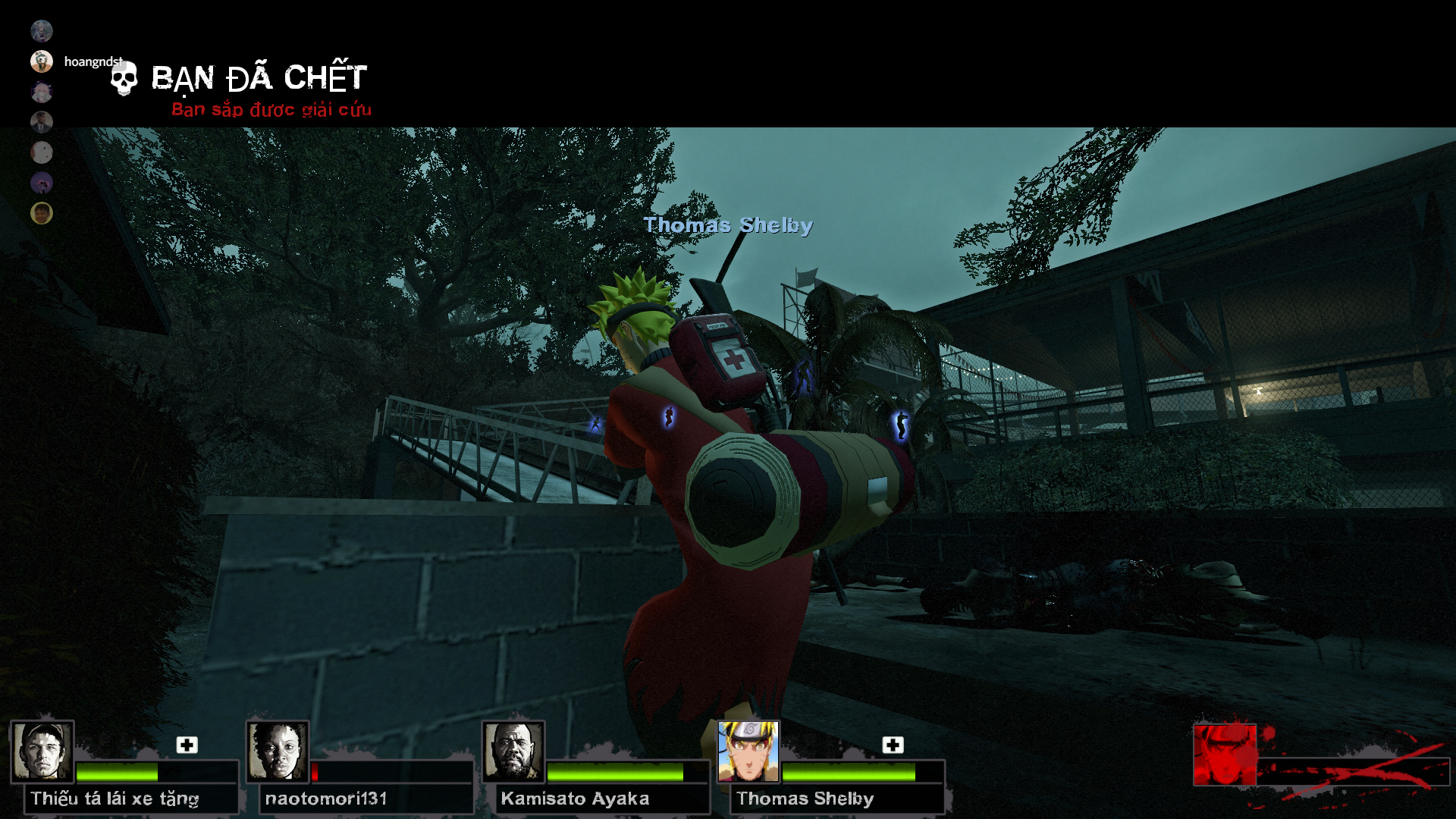
3. Choose a map and play
    <div style={{ textAlign: "center" }}>
      <img
        src="/static/blog/l8d2/back.png"
        alt="Let's play"
        style={{ width: "100%", display: "block", margin: "0 auto" }}
      />
      <p style={{ textAlign: "center" }}>Figure 10: Let's play</p>
    </div>

## Conclusion
Congratulations on successfully modding, have fun playing the game (≧▽≦)↗

Join Discord to play together: [Discord](https://discord.gg/C7gZGuvYJj)